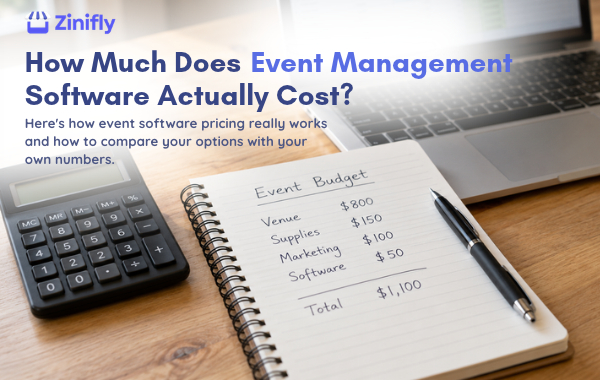
Ask five event management software companies what they cost and you'll get five answers you can't easily compare. One charges a monthly fee. One takes a cut of every ticket. One wants you to "contact sales." One is free until you need the feature you signed up for.
This guide walks through the common pricing models, what tends to hide in the fine print, and how to work out what a platform will really cost you over a full year.
The four common pricing models
1. Flat monthly or annual subscription
You pay a set price each month, usually tied to limits like the number of events, vendors or users. Your cost stays the same whether you sell 200 tickets or 20,000. This tends to work out best for organizers who run events often, because the price doesn't go up every time an event does well.
2. Per-ticket or per-registration fees
This is common with ticketing platforms. The software is "free," but a fee is added to each ticket or registration, often a percentage plus a fixed amount. Sometimes the buyer pays it and sometimes you do. It's easy to start with, but it grows with your sales. A festival that sells a lot of tickets can end up paying far more this way than it would on a flat plan.
3. Percentage of revenue
Some platforms take a percentage of everything that runs through them, including booth fees. Again, it's a low commitment at the start, but run it against your real numbers before you decide.
4. Custom or quote-based pricing
This is typical of large conference software. You get a price after a sales call, often with an annual contract and setup fees. That isn't always a bad deal, but it makes shopping around harder.
The costs that don't show up on the pricing page
The subscription is usually only part of the bill. Before you sign up, look for these:
- Card processing fees. Almost every platform passes these through from Stripe, Square or another processor. They're normal, but they aren't optional, so include them in your math.
- Platform fees on transactions. Some tools add their own percentage on top of processing. Ask whether it applies to tickets, booth fees, vendor sales or all three.
- Payout timing. If a platform holds your money and pays you after the event, that costs you in cash flow even if it isn't listed as a fee.
- Add-ons. Floor plans, text messages, a custom domain, extra admin users or removing the software company's logo are sometimes sold separately.
- Setup and migration. Some companies charge to get you started or to import your existing vendor list.
- Your own time. The cheapest tool can turn out expensive if you're still copying data between a form, a spreadsheet and your inbox every week.
How to compare platforms fairly
Pull last year's numbers, or your best guess, and run the same scenario through every option. You'll need:
- How many events you run in a year
- How many vendors or exhibitors you book, and your average booth fee
- How many tickets you sell, and your average ticket price
- Whether you need a booth map, volunteer scheduling, sponsor management or online stores for your vendors
Then add up a full year for each platform: subscription, transaction fees, processing and any add-ons you'd need.
Here's a made-up example to show why this matters. Say your fall festival sells 5,000 tickets at $15 and books 80 vendors at $200 each. That's $75,000 in tickets and $16,000 in booth fees. A platform that charges 3% plus $1 per ticket would cost about $7,250 on tickets alone ($2,250 in percentage fees plus $5,000 in per-ticket fees), before card processing. A flat subscription costs the same whether you sell 5,000 tickets or 15,000. Neither model is wrong for everyone. You just need to run your own numbers.
What Zinifly costs
We'll be specific, since that's the whole point of this article. As of October 2026:
- Professional, $149 a month: up to 750 vendors in your vendor network, 30 events a month and 3 venues.
- Enterprise, $399 a month: up to 2,000 vendors, 90 events a month and 10 venues.
Both plans include every feature: vendor applications, the venue builder, ticketing with QR check-in, documents, volunteers, sponsor and speaker management, your own website and domain, email, and 100 text messages a month (more are $0.05 each). Setup help and data migration are free, and there's a 30-day free trial with no credit card required.
What's separate: card processing fees, which your payment processor charges, and a 2.5% Zinifly platform fee on sales made through vendors' online stores, plus any commission your market chooses to set. All of it is on our pricing page.
If you run a few smaller events and don't need the full platform, Zinifly Lite is $29 a month plus 5% of sales processed through it.
Six questions to ask before you buy
- What would I pay in a full year for my event schedule, including every fee?
- Is there a fee per ticket, per registration or per booth? Who pays it?
- Whose account do payments go into, and when?
- Which features cost extra?
- Is there a contract, and what happens if I cancel?
- Do you charge for setup or for importing my data?
A company that answers all six quickly and in writing will usually be straightforward with you later, too.
Want to see whether the numbers work for your events? Start a free 30-day trial, or book a call and we'll walk through your schedule with you.